Clip and RecordPress a hotkey to save the last minute.
EditTrim, split and crop right in the app.
RewindScrub back through your gameplay.
ShareSend a clip to a friend with a link.
Meet BuffrX.
What it is.A free Windows app that clips, edits, rewinds and shares your gameplay, all in one place.
Who it's for.Any gamer who wants to keep a moment and share it.
Why it exists.I built it because setting up OBS was a chore and other clip apps were bloated. I wanted one simple app that just works.Setting up OBS was a chore, so I built one app that just works.
Everything you need.Everything you need to clip, edit and share, and nothing you have to put up with. All free, no ads, no watermark.Clip, edit and share. Free, no ads.
Easy to start.Install it, then press Alt+1 mid-match and your last minute is saved. There's nothing to set up first.Press Alt+1 mid-match. Your last minute is saved.
No bloat.One small app, light on your system. It uses little RAM and CPU while it buffers, and you don't need to sign up for anything or install anything else.Small and light. No sign-up.
Rewind your match.
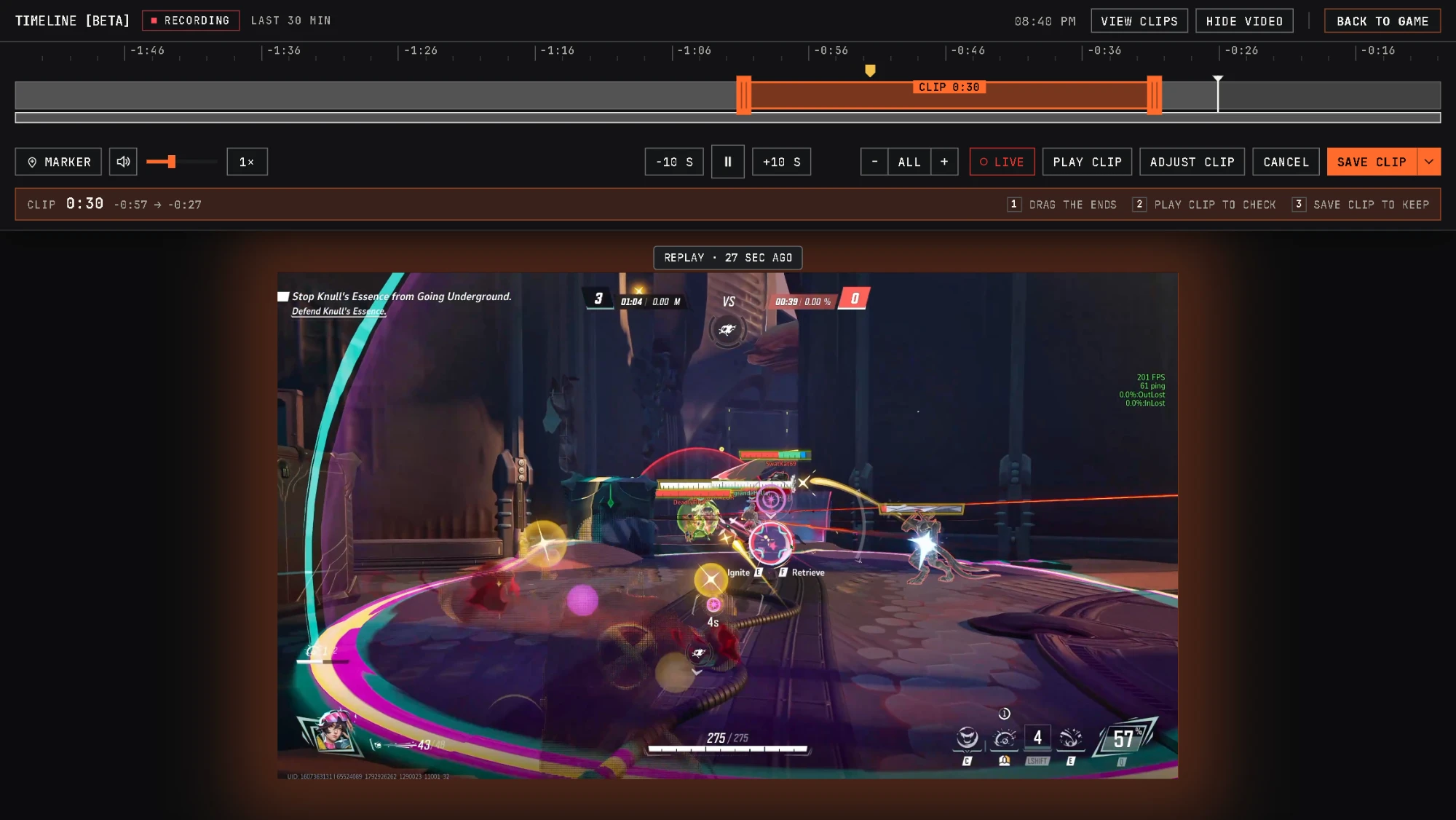
BuffrX keeps a running film of your game, up to 2 hours. Press Alt+4, go back to the play and save it.
1Scrub back.Drag along the bar to a moment. Alt+5 drops a marker you can find later.
2Pick the clip.Drag the two ends to the length you want.
3Save it.Click Save clip. It gets saved in your library.
Big or small, your pick.
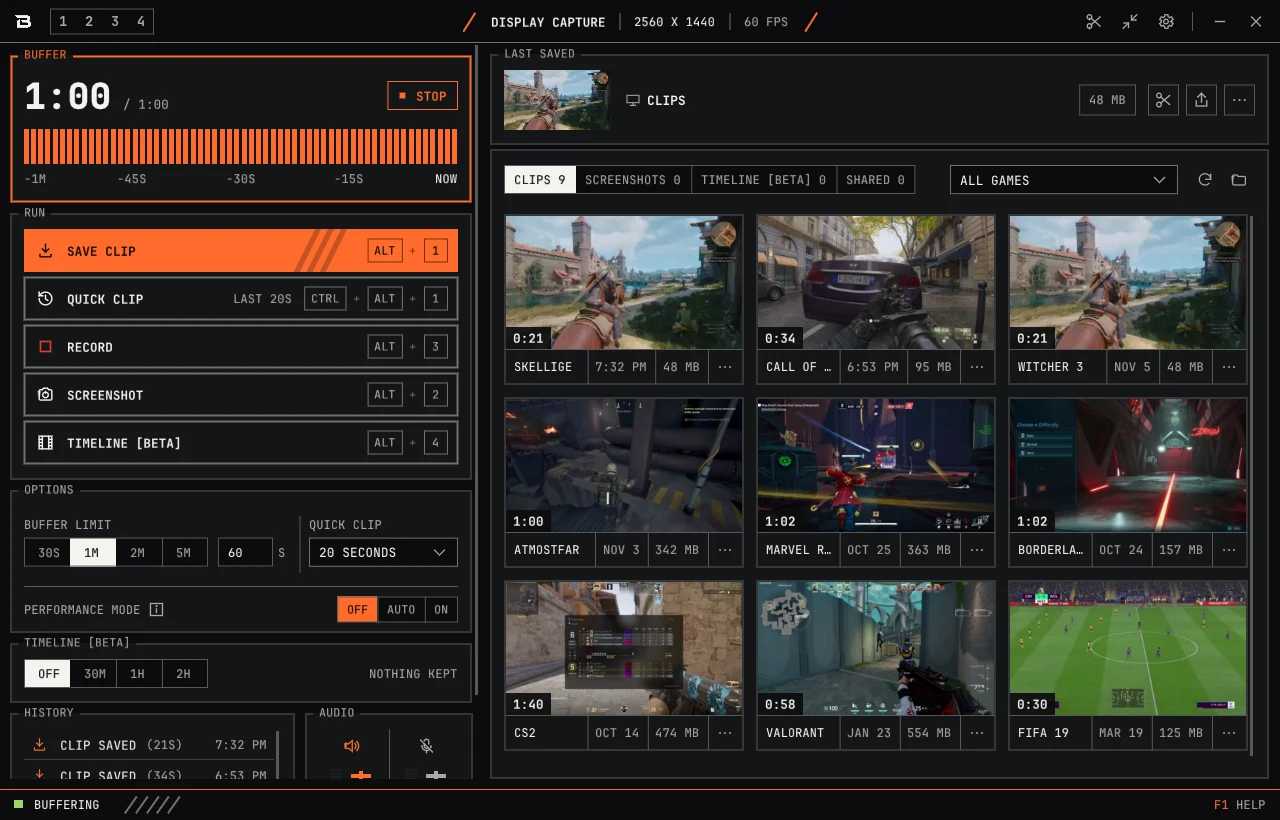
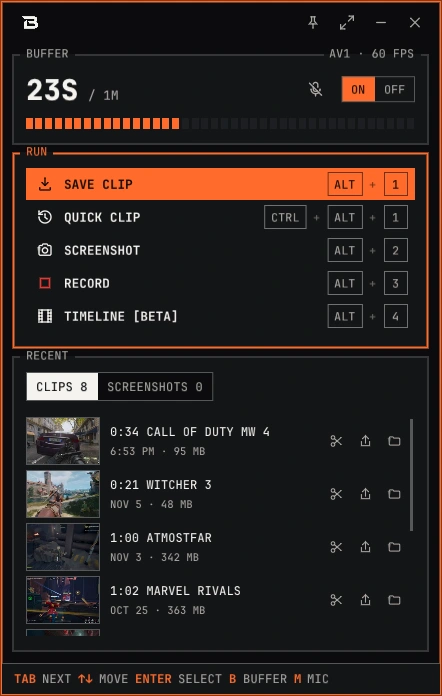
Go expanded for full access to your library and controls, or switch to compact for a lightweight panel that stays out of your way.
PANEL / EXPANDED AND COMPACT
ClickTap either picture to see it big
Edit without leaving.
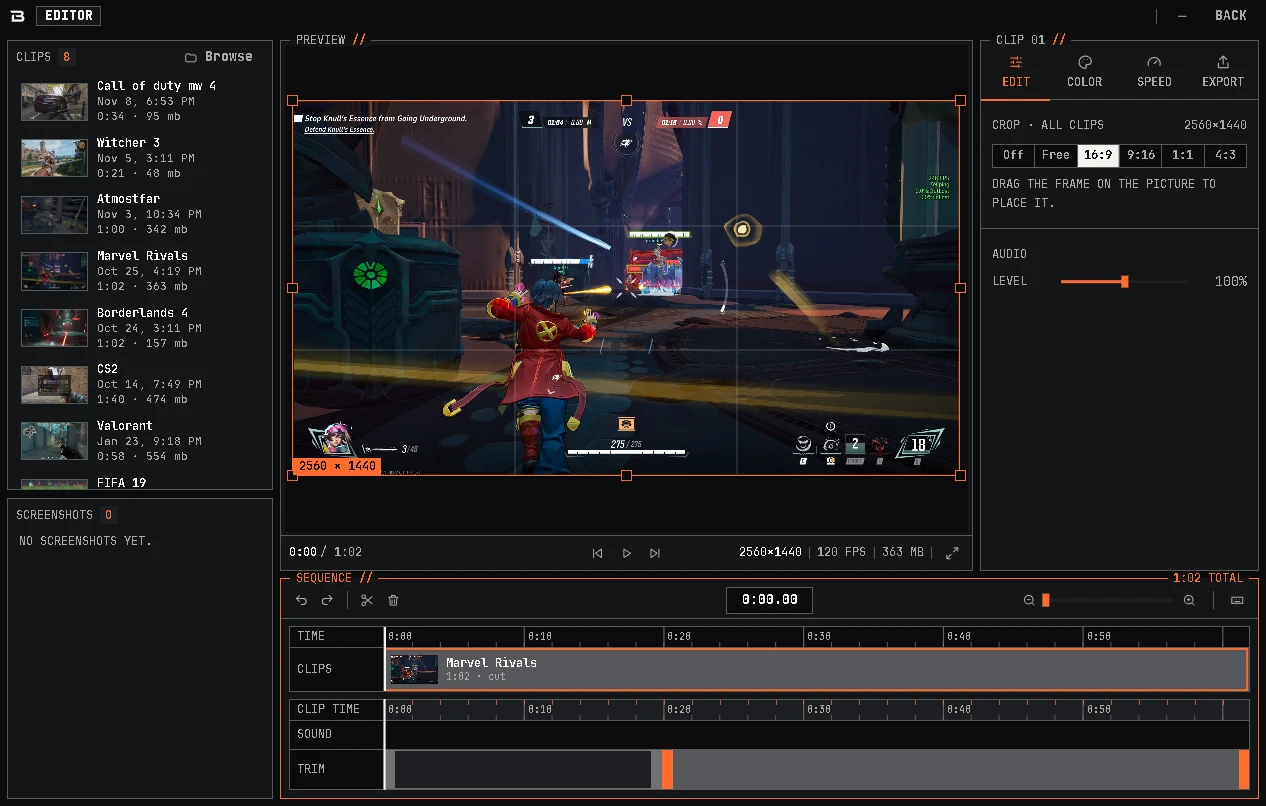
Every clip lands in one library. Use the built-in editor to trim, split, crop and stitch multiple clips together, all in one place. No extra software needed.
EDITOR / TRIM, SPLIT, CROP
ClickTap the picture to see it big
Send it with a link.
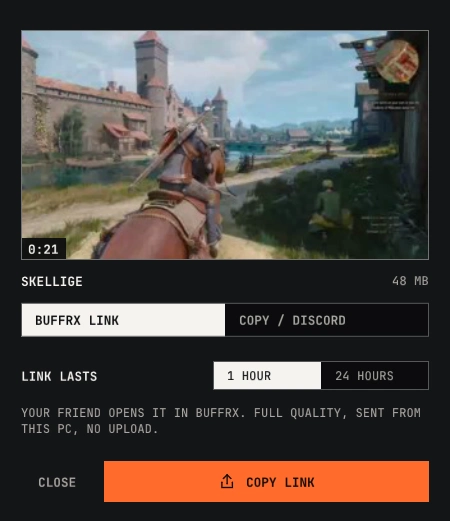
Copy a link and send it. The clip goes straight from your PC to your friend's, in full quality, with nothing uploaded first. A link lasts anywhere from 1 to 24 hours, and you can stop it any time.
link
friend0%
stateWaiting for a friend
SHARE CLIP //
Auto-detects your game.Start a fullscreen game and BuffrX switches to it on its own, then back to your screen when you quit.Switches to your game by itself.
Full controller support.Use a controller to clip, screenshot and record.Save and capture from your pad.
Fourteen themes at launch.Dark or light, make it yours. We're showing just 4 of the 14 available themes, with more on the way.
And plenty more.
A few of the things you'll be glad are there.
Auto-detects your game.Switches to your game by itself.
Full controller support.Save and capture from your pad.
Screenshots, with tools.Screenshot with Alt+2, then draw on it, blur a name or crop it.
Record when you want.Press Alt+3 to start recording, and press it again to stop. Record for as long as you want, even with the buffer off. You can also run both at the same time.
Your sound, your mix.Game and mic each get their own track, with their own volume and mute.
Any GPU, any codec.NVIDIA, AMD or Intel, with H.264, HEVC and AV1. No AV1 card? No problem, it uses H.264 instead.
Keeps up on its own.BuffrX is built to keep up with your GPU. If your GPU struggles to encode every frame, BuffrX adjusts on its own so no frames are lost.
Built-in preview.Open a clip or a screenshot right in the panel. Play and scrub videos, zoom into pictures.
Post to Discord.Share clips on Discord without Nitro. BuffrX compresses them to fit your upload limit, so you can send them directly to friends or through a Discord webhook.
Profiles.Save your settings as a profile, say one for ranked and one for chill, and switch in one click.
Performance mode.For competitive games, slightly reduce clip quality to minimize recording's impact on performance.
Private by design.
No accounts, no tracking and no server of ours.
No account.Nothing to sign up for.
No telemetry.No analytics code at all.
Your clips stay yours.Stored locally on your disk, neatly organized by game.
Works offline.Recording and editing never need the internet.
No server of ours.Quick Share goes from your PC to theirs, encrypted.
Open source.GPL. The whole source is on GitHub.
How it compares.
Pick one to put next to BuffrX.
Has itPartlyDoes not
This comparison reflects my personal perspective, not a definitive verdict. Choose the app that best fits your needs. Updated November 2026.
Where it's going.
At launch
Nov 2026
Save, record and screenshotA hotkey for each, and the last minute kept for you.
TimelineBetaA running film of your game. Scrub back, set markers, save a clip.
One library, an editor built inFiled by game. Trim, split, crop.
Quick Share and DiscordA link to a friend, or a post to your webhook.
Controller supportHotkeys on a gamepad, and the whole app moves with it.
Fourteen themesFor the panel, the quick panel and the editor.
Next
After launch, no date
LinuxPlannedNot at launch. The interface is built so that only the window host has to change.
Shorter share linksThe same private link, about half as long.
FavouritesStar a clip or screenshot and it never gets cleaned up.
Better sorting and filtersSort your library by date or length.
Hold for 2xHold down in a preview to play at double speed, like YouTube Shorts.
Later
Ideas, not promises
HDR and 10-bit colourClips that keep the colour your screen shows.
Watch a Quick Share link in a browserSee a clip before installing anything. It needs more proving first.
More audio sourcesSeveral sources, each with its own volume, mute and sync.
Captions in the editorAdd simple text captions to a clip.
Your own soundsChoose the sounds for save, record and the rest, or use a ready-made set. Lives with the themes.
Pricing.
A joke, plainly: there is no Premium and nothing here costs anything. BuffrX is free and open source.